I also wanted a way to visualise the Flow map and distortion of the water system. It can be difficult to see in different lighting conditions especially with the unlit water system I have made. I remembered an old twitter post by H.Kudo:
Flowmap Fields Visualizer— h.Kudo (@_KudoHiroyuki) July 1, 2018
UE4でフローマップの流れを可視化してみる
フローマップはFusion 9で作成
※音がでます
Visualize Flowmap Fields in UE4
Generated Flowmaps in Fusion 9#UE4 #Fusion9 #RealTime #DataVisualization #indiedev pic.twitter.com/5pDqwBHjN3
I really like how he added arrows to help visualise the flow direction. However, From the way, the arrows were casting shadows. it seems to be a blueprint and I wanted it to be a material. I really wanted to add the arrows but I didn't know how to rotate an arrow texture in the material. However, towards the end of the video, He added grid texture as a secondary way of visualising flow maps. So I thought I'd use that if I have no luck in adding in arrows.
I was able to find a UE4 marketplace asset, Aquatic Surface by Krystian Komisare (https://www.unrealengine.com/marketplace/en-US/slug/aquatic-surface) that shows arrow visualisation within the material really well. I might purchase his content in the future and study how he has done this but for now I am sticking with the grid visualisation technique instead.
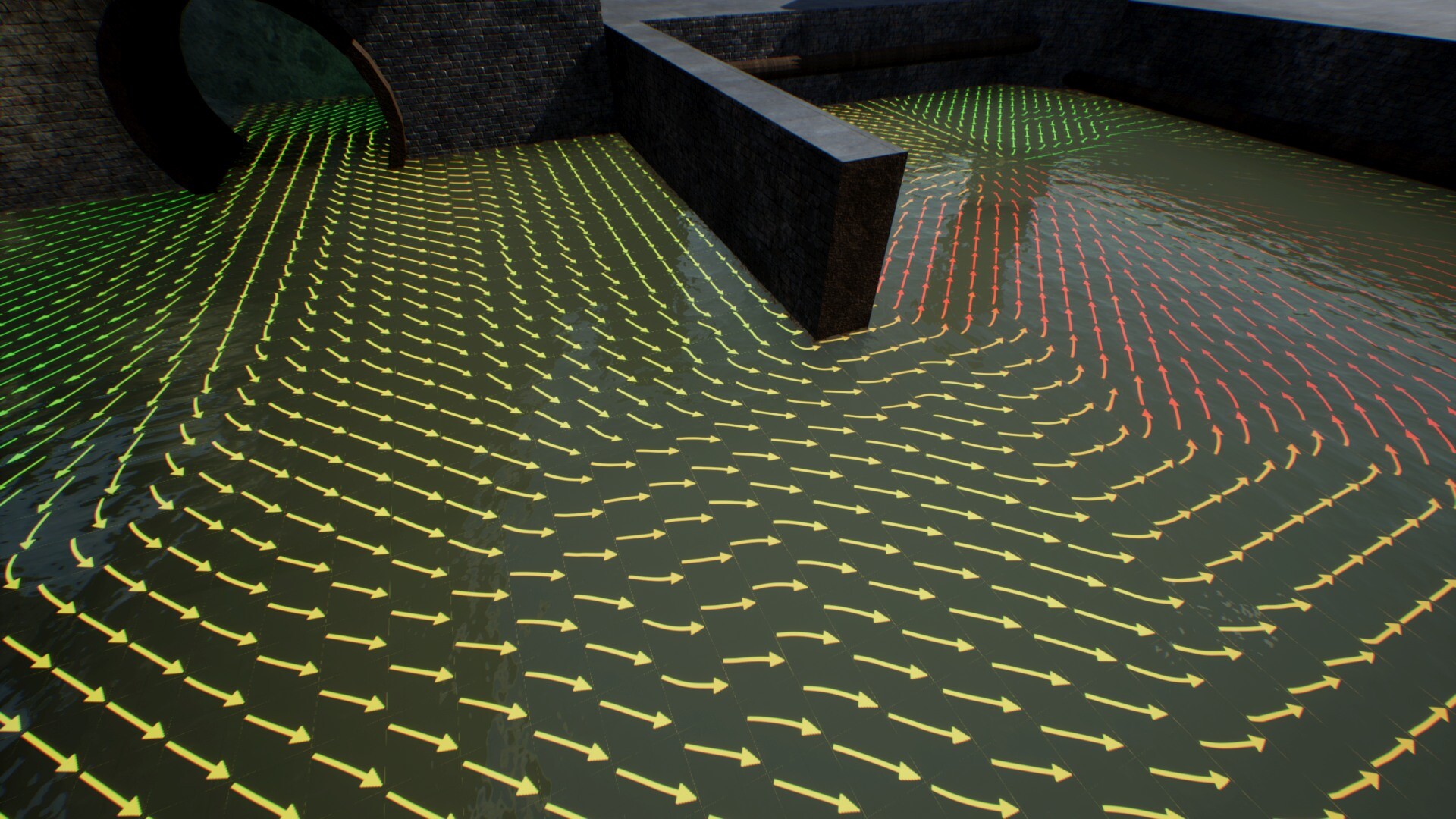 Aquatic Surface by Krystian Komisare - Vertex Paint Flow map with arrows to help visualise the direction of flow
Here is vertex painting in action for my water system along with the grid visualisation:
This is the final feature I wanted to add to the water system. It's now onto combining everything such as integrating Gerstner waves and adding subtle changes. But the main focus is on creating the environment.